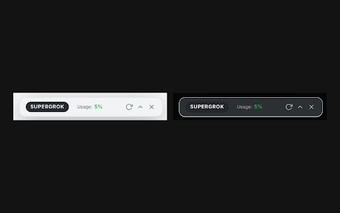
Grok Usage Extension: Persistent usage widget for Grok users
Grok Usage Extension, developed by Roni Gal, helps Grok users monitor monthly usage limits and credit consumption directly in the assistant dashboard. The extension displays real-time usage metrics and automatic reset dates inside a draggable, persistent floating widget that matches Grok's interface. Its local-only processing and lightweight design keeps data on your browser and reduces performance overhead. It suits Grok researchers and developers who need continuous visibility into quotas to avoid unexpected interruptions across sessions.
What is Grok Usage Extension used for?
The extension places a floating widget into the Grok dashboard to show monthly usage limits, credit consumption and the next reset date without opening account settings. Designed for heavy Grok users and researchers, it tracks metrics in real time and reduces the need to switch screens for quota checks. The widget uses glassmorphism styling so it visually blends with the assistant interface and stays visible while you interact with Grok.
How heavy is the extension on browser resources?
Resource use is deliberately small: the developer describes a lightweight design with minimal impact on browser performance and local-only processing. Because it runs as a Chrome extension in Chromium-based browsers, it activates when you have an active Grok session open, which keeps background overhead low when the dashboard is closed. The draggable, persistent widget also saves time spent repositioning UI elements between sessions.
Does the extension protect my Grok conversations and data?
Privacy is local-first: the extension processes data only in the browser and follows a zero-data-collection model, so it does not transmit or store conversations on external servers. It is a third-party tool and not an official xAI product, which clarifies its independence from the service provider. Note that it requires an active session on grok.com to function, tying its visibility and metrics to the local browser profile.
Practical choice for single-browser Grok power users
For users who run intensive Grok sessions in one desktop browser, this extension provides immediate quota awareness and keeps data processing local, making it suitable for privacy-conscious workflows tied to a single profile. If your work spans multiple devices, treat the extension as a per-browser convenience and use browser bookmarks for cross-device continuity. Test widget placement on your primary profile to avoid overlap with dashboard controls.